

Google Business Profile in Malta: 9 Steps to the Map Pack

Search for almost any service in Malta, like a web designer, a dentist or a plumber, and the first thing you see isn’t a website. It’s a map with three businesses on it. That map comes from Google Business Profile, it’s free, and most small businesses either haven’t claimed theirs or filled it in once and forgot about it.
This guide takes you through the nine steps that matter, based on Google’s own help pages and rules, with the details that trip Maltese businesses up. One thing to know before you start: Google says plainly that there’s no way to pay for a better local ranking. What you put in the profile, and how customers rate you, is what counts.
Why the map results matter in Malta
When we researched searches like “web design malta”, “digital marketing malta” and “branding malta”, the map results appeared above the normal results every time. For a small island where most customers search for something nearby, the map is often the first, and sometimes the only, thing people look at.
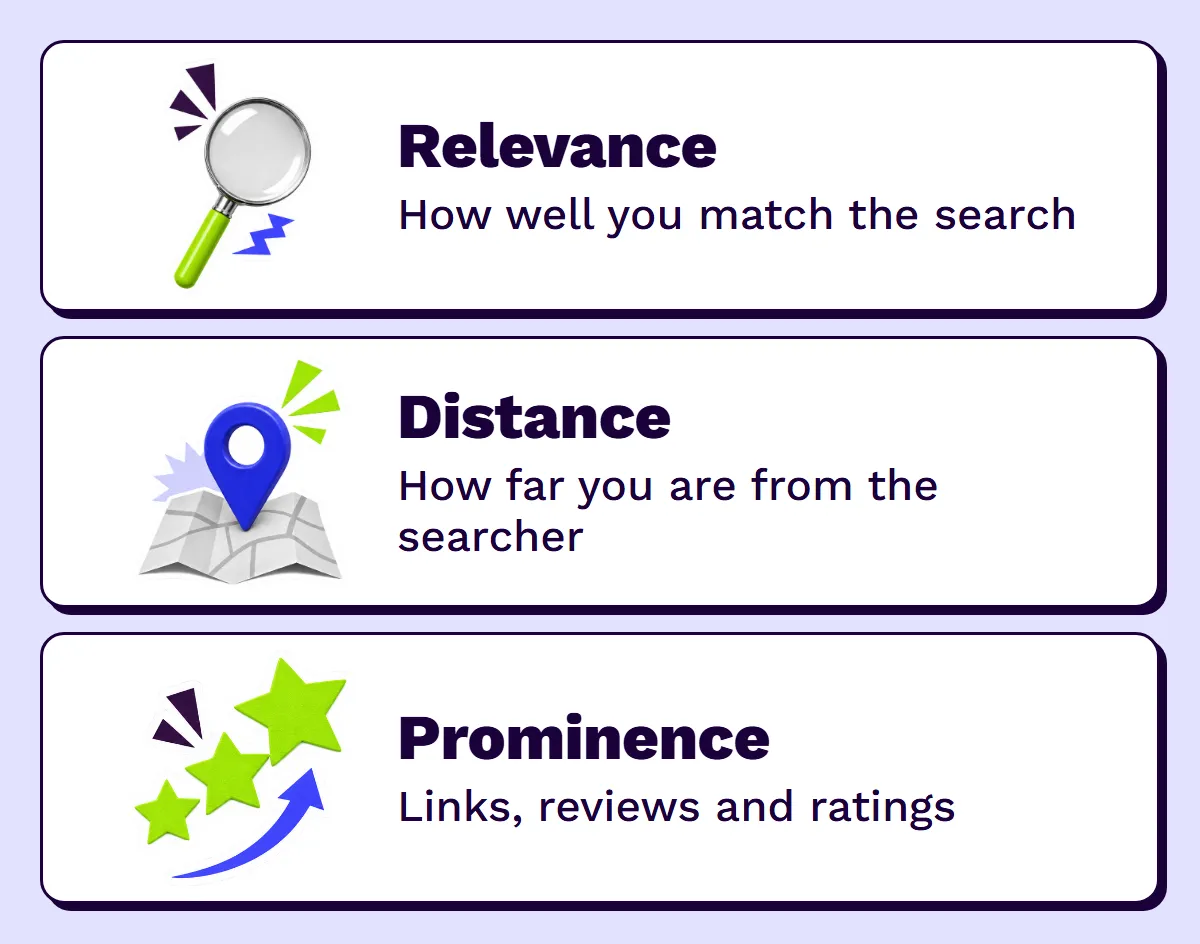
Google says local results are mainly based on three things:
- Relevance: how well your profile matches what someone searched for. Complete, detailed information helps.
- Distance: how far you are from the person searching, or from the place they searched for.
- Prominence: how well known your business is, including how many websites link to you and how many reviews and positive ratings you have.
You can’t move your shop closer to every customer, but relevance and prominence are largely in your hands. That’s what the nine steps below are about. Your profile is one part of local SEO, which our plain-English guide to SEO explains.
Step 1: Check that your business is eligible
Google allows a Business Profile if your business either has a physical location customers can visit, or travels to customers where they are. A few things are not allowed:
- A virtual office: an address you rent for mail but don’t work from.
- A P.O. box or remote mailbox as your address.
- Separate profiles for each service you offer from the same place.
Step 2: Search for your business before you create one
Look your business up on Google Maps first. A profile may already exist, created by a customer or a previous owner. If it does, claim it rather than making a second one: duplicates confuse Google and split your reviews. If nothing comes up, add your business at business.google.com.
Step 3: Use your real business name, nothing more
Your name should match the one on your sign, website and invoices. Google doesn’t allow taglines, services, locations, phone numbers or website addresses in the name, and adding them can get your profile suspended.
| Allowed | Not allowed |
|---|---|
| Café Luna | Café Luna Best Pastizzi Valletta |
| Borg Plumbing | Borg Plumbing 24/7 Emergency Plumber Malta |
| Sliema Dental Clinic (if that’s the real name) | Smile Dental | Teeth Whitening Sliema |
Step 4: Choose as few categories as possible
Pick the main category that describes your core business, then only add others that are genuinely what you are. Google’s test is to finish the sentence “This business is a…”, not “this business has a…”. A restaurant with a terrace is a restaurant, not a terrace.
Step 5: Set your address or service area
- Customers visit you (shop, clinic, restaurant): show your full address, and make sure the place is staffed during your opening hours.
- You go to customers (plumbers, cleaners, mobile services): set a service area and hide your address. Google says a service area shouldn’t extend beyond about two hours’ drive from your base, which covers Malta and, for most, Gozo too.
- Both: show your address and add a service area.
Write the address the same way everywhere it appears online, on your website, Facebook page and directories. “Triq ir-Repubblika, Valletta” on one site and “Republic Street, Il-Belt” on another looks like two businesses to a computer.
Step 6: Add a phone number and website you control
Google wants a local number that connects to your business and is under your direct control, not a premium-rate line or a call centre. The website should be your own site, not a link that redirects somewhere else. If you don’t want your personal mobile on Google, use a separate business number; this is a common reason Maltese owners hold back.
Step 7: Verify your business
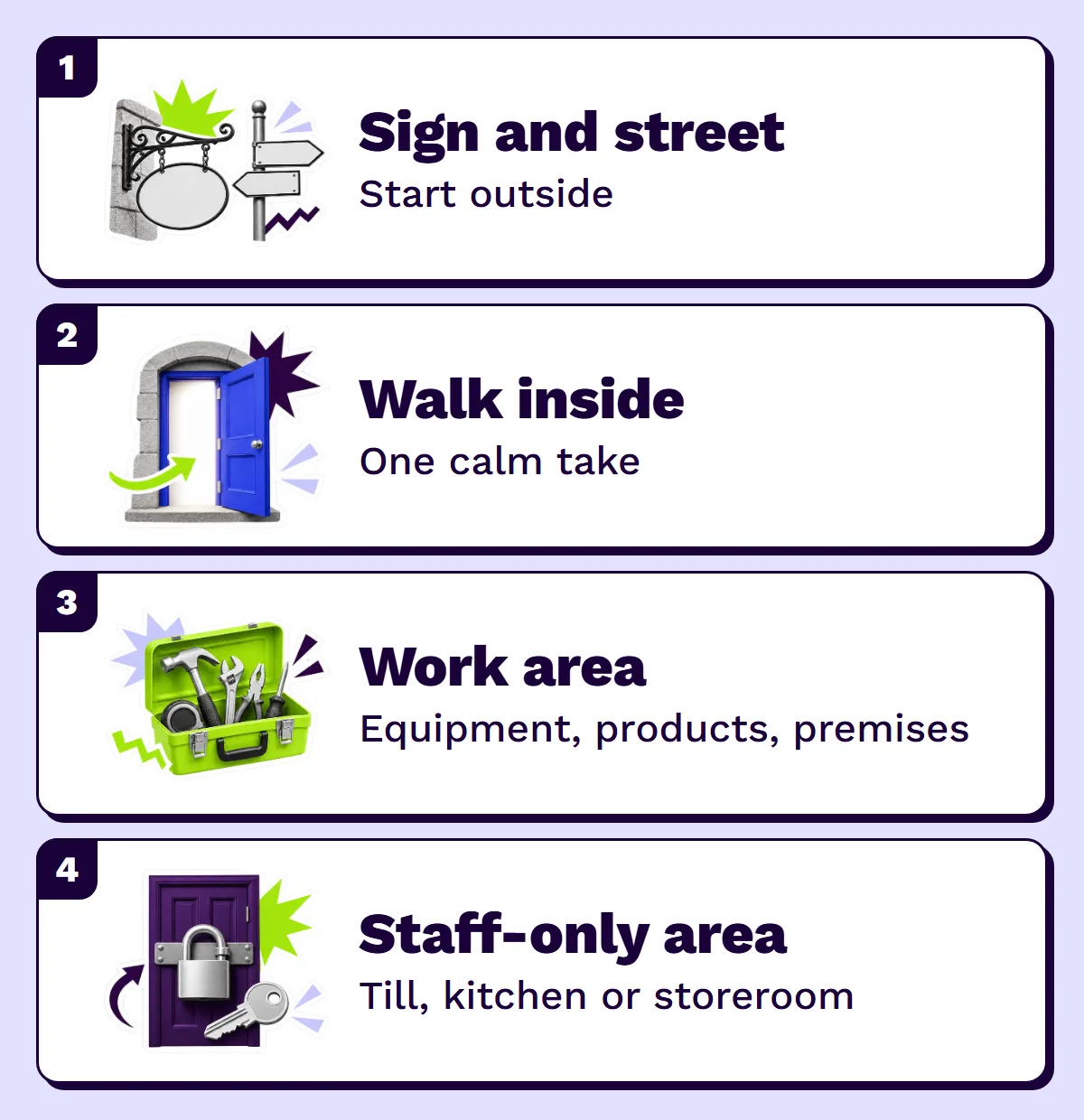
Your profile doesn’t fully go live until it’s verified. Google decides which methods you’re offered, and you can’t change them. They include phone or text, email, a live video call, a recorded video and, in some cases, a postcard. If video is offered, Google recommends using it.
- Show where you are: outside signs, nearby businesses or a street sign.
- Show your business: your equipment, products or the premises.
- Show you run it: access to staff-only areas, the till, the kitchen or storeroom, or non-sensitive business documents.
Live video calls only happen during your business hours. Reviews usually take up to five business days. If you get a postcard, codes generally arrive within 14 days and expire after 30. Don’t change your name, address or category while you wait, or the code won’t work.
Step 8: Fill in everything
Google says businesses with complete and accurate information are more likely to show up in local search. Work through the whole profile:
- Opening hours, plus special hours for public holidays and feasts. Seasonal businesses can mark themselves as temporarily closed in the off-season.
- Services or products, with short descriptions.
- Attributes like parking, Wi-Fi, wheelchair access or outdoor seating.
- Photos and videos of the outside, inside, your team and your work.
- A description in plain words about what you do. Google doesn’t allow links in it, or a description built around promotions and prices.
Step 9: Get genuine reviews, and reply to them
More reviews and positive ratings can help your local ranking, and they’re what customers read first. Google’s rules are strict about how you get them:
- Do ask every customer for an honest review, with a direct link or QR code.
- Don’t offer anything in return: discounts, freebies and payments for reviews aren’t allowed.
- Don’t ask only the happy customers, or discourage negative reviews.
- Don’t have staff, family or business partners review you; reviews with a conflict of interest get removed.
- Don’t pressure people to review while they’re still on the premises.
Reply to every review, good or bad, politely and professionally. Your replies are public, so they’re written as much for the next customer as for the reviewer. Don’t share personal details, and don’t use replies to push offers.
Mistakes that hold Maltese businesses back
- Two profiles for one business, often after a move or a change of owner. Merge or remove the duplicate.
- Keywords in the name, like “Malta” or the service. It works until the profile gets suspended.
- Old opening hours, especially over Christmas, Easter and summer. People turn up, find you closed and say so in a review.
- A different address or phone number on your website, Facebook and directories.
- Unanswered reviews, particularly negative ones.
Google Business Profile questions
 Didn't find your question?
Ask us directly. We reply within two working days, faster on WhatsApp.
Is Google Business Profile free?
Yes. Creating, verifying and managing a Business Profile is free, and Google says there’s no way to pay for a better local ranking.
Can an online-only business have a Google Business Profile?
Google’s guidelines cover businesses with a location customers can visit, or that travel to customers. A business that only sells online, with no customer-facing address and no service area, isn’t covered.
How long does Google Business Profile verification take?
Google says verification reviews take up to five business days, occasionally longer. Postcard codes usually arrive within 14 days and expire after 30.
Should I put "Malta" in my business name on Google?
Only if it’s genuinely part of your registered, real-world name. Adding locations or keywords to the name breaks Google’s guidelines and can get the profile suspended.
Can I give a discount in exchange for a Google review?
No. Google doesn’t allow incentives of any kind for reviews, including discounts and free products. You can, and should, ask every customer for an honest review.
Sources
Google Business Profile Help: Guidelines for representing your business on Google, Verify your business on Google, Tips to improve your local ranking on Google, Tips to get more reviews and the Maps prohibited and restricted content policy. Last checked 4 November 2026; Google changes these pages from time to time.
Keep reading


Ready when you are.
Tell us what you need and we'll send a fixed quote.